, exact location withheld
Best SD Card for an Action Camera: What V30 and U3 Mean
What C10, U3, V30 and A2 mean, the speed a DJI Osmo Action 5 Pro actually needs, how many hours fit on 256GB, and the SanDisk Extreme PRO on my list.
The best SD card for an action camera is a microSD card rated U3 and V30 from a known maker, in a size that holds a full day of footage. I use the SanDisk Extreme PRO 256GB microSD on my DJI Osmo Action 5 Pro, and this post explains what the letters on the card mean and how to work out what you need.
This is gear talk, not a guide to getting into anywhere. Abandoned buildings are dangerous and can carry legal consequences, and nothing here is a reason to go inside one.
Disclosure. The SanDisk Extreme PRO 256GB microSD is the card I use and link to, and my Amazon links are affiliate links that earn me a commission if you buy through them, at no extra cost to you.
What do C10, U3, V30 and A2 mean?
They’re speed ratings, and the SD Association, which sets the standard, has defined them. Kingston’s explainer puts the numbers in a list. C10 means a minimum write speed of 10 MB/s, U3 means 30 MB/s, and V30 means 30 MB/s. It calls C10 the usual minimum for most devices made today, and says U3 is typically needed for cameras that record 4K.
The word that matters is minimum. The SD Association says consumers should focus on minimum sustained speeds, “the lowest speed an SD card can be written to while maintaining its performance”. A card’s headline speed, the big number on the front, is a peak. A camera recording video needs the floor, because one slow stretch can stop the recording.
Video Speed Class is the rating built for this. The SD Association says its grades are defined by the card’s minimum sustained transfer speeds, with the number after the V being the speed in MB/s. So V30 is 30 MB/s sustained, and the grades run through V6, V10, V30, V60 and V90.
The A rating is a different thing. The same article says the Application Performance Classes, A1 and A2, are useful to products like Android phones and tablets, because they measure random reads and writes. For a camera writing one long video file, V30 and U3 are the ones to read.
What is the difference between UHS-I and UHS-II?
It’s the bus, meaning the connection between the card and the camera. Kingston lists UHS-I with a theoretical maximum of up to 104 MB/s and UHS-II up to 312 MB/s, and says both the card and the device must support the same interface to get the higher speeds. DJI’s spec page doesn’t say which bus the Action 5 Pro uses. I’d buy to the speed class on the label and not pay extra for a bus the camera may not use.
What speed does the Osmo Action 5 Pro need?
Less than the card’s rating, and that’s the point of buying V30. DJI’s spec page lists the camera’s maximum video as 4K up to 120 fps at up to 120 Mbps. Megabits and megabytes are different units, and dividing by 8 converts one to the other. 120 Mbps is 15 MB/s, which is half of V30’s 30 MB/s minimum.
That’s my arithmetic, and it means a V30 card has headroom at the camera’s top setting. The SD Association makes a related point about frame rate. It says many cameras can use a V30 card to shoot 4K, but at higher frame rates, 60 to 120 fps, you will likely need a faster card. DJI’s own list handles that for this camera, as the next section shows.
Which cards does DJI recommend?
DJI’s spec page lists recommended cards, and they’re all U3 and V30. The models include the SanDisk Extreme PRO 32GB and the Kingston CANVAS Go! Plus in sizes from 64GB to 1TB. Most of them are A2, and the SanDisk is A1. The page doesn’t state a minimum speed of its own, so the list is the best guide to what DJI has tested.
Two things to know. First, the SanDisk on DJI’s list is the 32GB card, and mine is the 256GB. I’m confident it’s the same Extreme PRO line, and I haven’t found DJI’s page naming the 256GB card, so read the printed rating on whatever you buy and check it says U3 and V30. Second, the camera takes microSD cards up to 1 TB, so capacity is a choice and not a limit.
How big a card do you need?
Bigger than you think, and the math is short. At 120 Mbps, the camera’s top bitrate, the file grows at 15 MB/s. That’s 54 GB an hour. A 256GB card holds about 4.7 hours at that bitrate, and a little less once you count the card’s usable capacity. Lower resolutions and frame rates run at lower bitrates and last longer.
Those numbers are my arithmetic from DJI’s maximum, so treat them as a floor. A day with a few long walkthroughs adds up. The Catholic school video runs 36 minutes and 46 seconds, and the high school video runs 37 minutes and 53 seconds. At the top bitrate, that’s roughly 33 GB and 34 GB each.
The camera also has its own storage. DJI lists 64 GB of built in storage with 47 GB available, which I treat as a backup if a card fails or I forget one. It records either way, and 47 GB is about 52 minutes at the top bitrate.
Why does a card need a backup?
Because one card is one point of failure, and the footage from a place is the only copy of that visit. Buildings get demolished, and you can’t go back for a retake.
On my gear list, the SanDisk Extreme PRO 256GB microSD is the first copy, and the WD 5TB My Passport Ultra is the second. The gear list has the rest of the chain. Copy the card to the drive before you format it, and don’t reuse the card until the copy is checked.
A card is also easy to lose. It’s tiny, and a pack full of gear in a dark building is a bad place to drop one. Keep spares in a case, labeled, and out of the pocket where your keys live. The backpack post covers how I organize the pack.
What should you look for in a card?
Five things, in this order.
- U3 and V30 on the label. That’s 30 MB/s sustained, double the camera’s top bitrate.
- A card on your camera’s recommended list. For the Action 5 Pro that means DJI’s page.
- A size you can fill without stress. Work out the hours using the 15 MB/s figure.
- A known maker. The SD Association’s ratings only mean something if the label is honest.
- A backup plan. One card is one failure away from nothing.
What does this look like in practice?
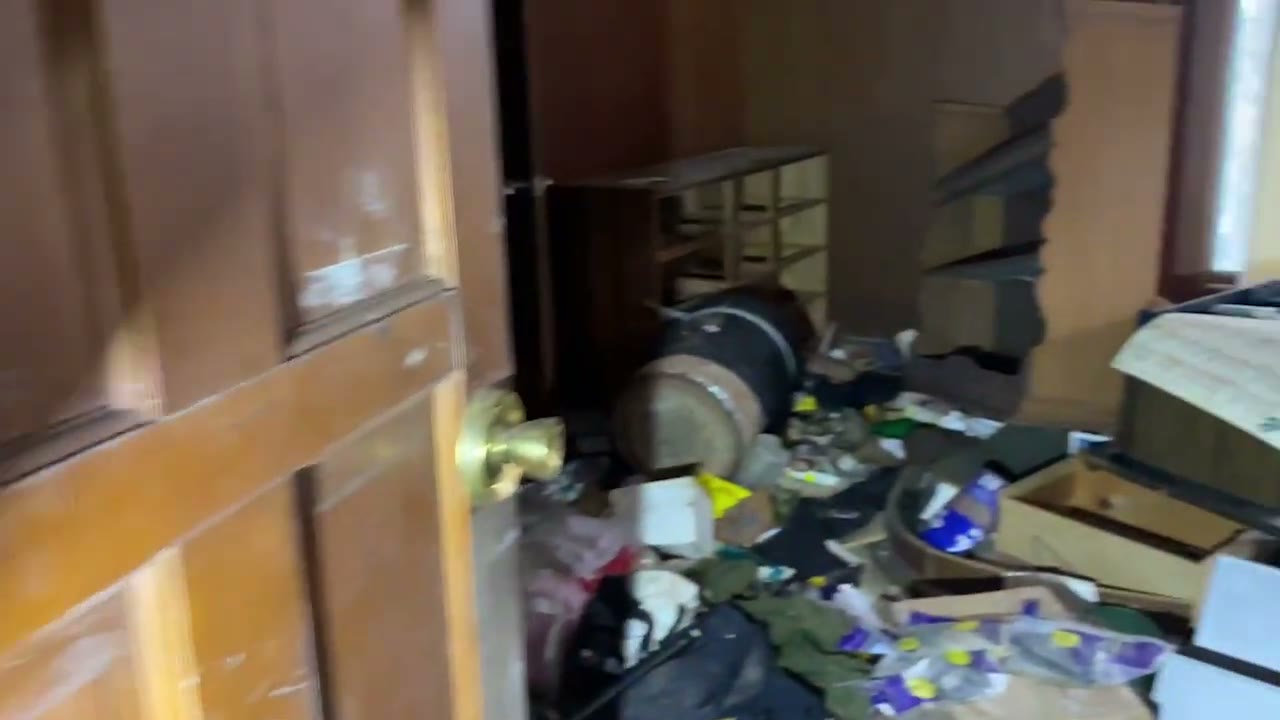
Long videos fill cards. The gun club owner’s house video runs 34 minutes and 48 seconds, and it’s full of small objects that all want their own few seconds of footage. Rooms like the one above are why you record more than you use.
The card is the cheapest part of the kit and the one that holds everything. It’s worth getting the rating right and the copy made.
How I find places, stay safe and film without burning locations is in my guide, How to Find Abandoned Places.
Buy by the label, size by the math, and copy it twice.
What I carried in
Same list as every video description.
Sources
More like this


The footage that never goes public lives on Patreon. It's paid, and it's where the rough cuts, the security run-ins and the early releases go.